If you are searching for a mid-range gaming laptop that give you solid performance and also some premium features, but in a price which you can afford, then maybe you already come across the ASUS TUF Gaming A16 versus the F16 gaming laptops.
The TUF A16 is coming with an AMD Ryzen 9 processor, while on the other side the F16 is choosing an Intel Core i7 chip. Both of them are sitting in almost the same price range, but they are made for slightly different kind of gamers and also creators.
Are you wondering what is the similarities and what is the differences between them? So let us jump inside and look how these two laptops are comparing to each other.
Some links in this post are affiliate links of Amazon India. As an Amazon Associate, I earn from qualifying purchases. It means, if you click on my link and buy any product, I can get small commission from Amazon, and there is no any extra cost for you.
Which One is the Better Laptop? ASUS TUF A16 vs. F16
When we put the A16 and the F16 side by side, the F16 is bringing quite a lot of upgrades on the table. It is having the double amount of RAM (32GB inside the F16 against only 16GB inside the A16), one brighter display (going up to 500 nits on the F16 against 400 nits on the A16), and also the Thunderbolt 4 connectivity. Because of all this, you are getting a better multitasking performance and one more flexible port selection. On top of it, the upgraded webcam with 1080P IR is like the extra frosting sitting on the cake.
The Differences

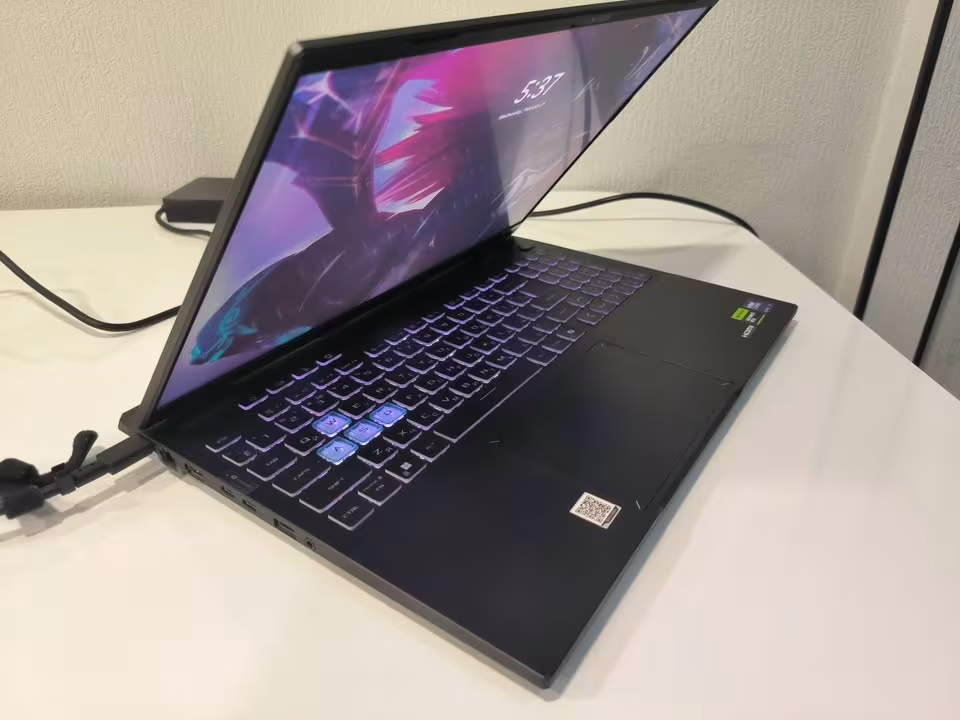
- Processor: The ASUS TUF A16 is using an AMD Ryzen 9 8940HX, but the F16 instead go with an Intel Core i7-14650HX. The A16 processor is having more threads (32 against 24) and also a little bit higher boost clock (5.3 GHz against 5.2 GHz), however the Intel chip inside the F16 is bringing the Thunderbolt 4 support with it.
- RAM: The ASUS TUF F16 is shipping together with 32GB of DDR5 RAM, while the ASUS TUF A16 only is coming with 16GB of DDR5 RAM.
- Display Brightness: Only the F16 is able to push up until 500 nits of typical brightness, meanwhile the A16 is stopping at 400 nits maximum.
- Thunderbolt 4: Only the F16 have the ability to use the Thunderbolt 4 connectivity, which is good for high-speed data transfer, the external GPU docks, and also for daisy-chaining your peripherals.
- Webcam: The F16 is having a 1080P IR camera, while on the A16 side it use a standard webcam without any IR functionality inside it.
Processor Performance
The processor which is inside the ASUS TUF A16 is the AMD Ryzen 9 8940HX, that is clocked on 2.4 GHz base, and boost speed going up until 5.3 GHz. It is packing 16 cores, 32 threads, and one very big 80MB cache also.
If we do comparison, the ASUS TUF F16 is running the Intel Core i7-14650HX, which clocked on 2.2 GHz base with the boost speed reaching up to 5.2 GHz. It is also having 16 cores, but only the 24 threads, and 30MB cache which is smaller.
This one is a big factor that many times peoples are overlooking it, but it is worth for noting. The AMD Ryzen chip is tending to be more power-efficient, and this thing can be helping with the battery longevity during the more lighter workloads. But with the Intel chip, you are getting the access to Thunderbolt 4, which is one significant advantage for the creators and professional peoples who are depending on the high-bandwidth peripherals.
The Ryzen 9 8940HX is doing excellent in the multi-threaded workloads, and this is because of its more higher thread count. In such type of cases, it will be pushing through the rendering, compiling, and the content creation tasks in more efficient way, when all the 32 threads are getting fully utilized.
With the Intel Core i7-14650HX, you are getting the stronger single-core performance in some certain scenarios, and also the more broader compatibility together with Thunderbolt accessories. This is meaning more flexibility for the connectivity, and also more options for the external displays and the storage too.
Gaming Performance
The performance of the both ASUS TUF A16 and the F16 in the gaming, it should be virtually the same only. Because both of the laptops are packing the same NVIDIA GeForce RTX 5070 Laptop GPU, which is having 8GB of the GDDR7 memory and one 115W TGP (100W + 15W the dynamic boost).
One thing to note about the gaming performance on these both machines, is that the GPU is the main bottleneck in the most of games, and not the CPU. Since the both laptops are sharing the same graphics card, so the frame rates should be almost not distinguishable in the very big majority of the titles.
Even though some specific benchmarks maybe can be varying little bit between the AMD and the Intel platforms, still we can be expecting the similar kind of results in most of the AAA titles, and probably the near-identical numbers also in the GPU-bound scenarios on the 2.5K resolution.
Display Quality
Both the A16 and the F16 they are coming with 16-inch, 2.5K (2560 x 1600) IPS-level display which having 16:10 aspect ratio, 165Hz refresh rate and also 3ms response time. Both the panels are supporting the NVIDIA G-SYNC technology and they having 90% screen-to-body ratio which is very good.

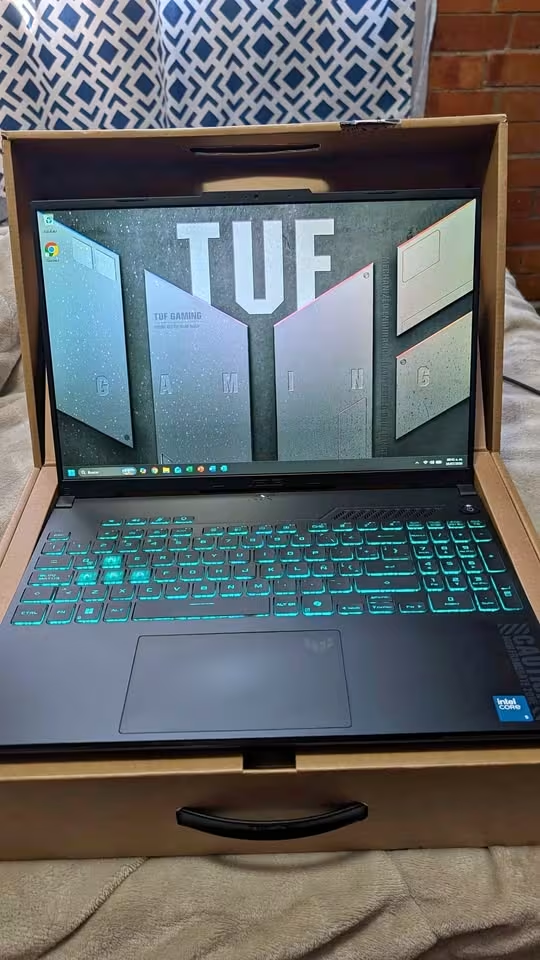
The place where they are different is in the brightness part. The TUF F16 it is pushing up to 500 nits of typical brightness, but the TUF A16 it comes only at 400 nits.
For the indoor gaming, the 400-nit panel on the A16 is more than enough actually. But if you are doing work or gaming in the more brighter environments, or sitting near one window with the direct sunlight, then the extra 100 nits on the F16 can make one noticeable difference in the visibility and also the color vibrancy.
Again, we are likely suspecting that the everyday gaming experience on both the panels it would give the similar type of results, because they are using the same resolution, refresh rate and the G-SYNC support also.
One thing which might be helping the F16 is the brighter display during the outdoor or high-ambient-light situations, where the F16 it may be able to hold the better readability for the wider range of use cases.
Memory and Storage
The ASUS TUF F16 it is shipping with 32GB of DDR5-5600 MHz RAM, but on other side the A16 is coming with only 16GB of DDR5-5600 MHz RAM.
This one is a notable difference, specially for the multitasking, the content creation and for running the memory-heavy applications. For the pure gaming only, 16GB is still enough for the most of titles in 2025, but the 32GB it is giving more headroom for the streaming, video editing and also running the background applications together.
Both the laptops they are using 1TB PCIe 4.0 NVMe M.2 SSDs for the storage. The F16 it is clearly supporting the dual SSD slots with up to 2TB per each slot, so it is offering more expandability for those users who are needing the more storage in the down the road.
Both the models are supporting up to 64GB of DDR5 RAM, so the A16’s 16GB configuration it can be upgraded later on. But, doing the RAM upgrade by yourself it may void the warranty terms, and also it is one added cost which you have to consider.
Connectivity and Ports
The selection of ports on each one of these models is also quite similar to each other, and this is because they are having the same body style, the same weight, and also the same dimensions. At only 1.8 cm of thickness, it is pretty slim if we talking about a gaming laptop which is carrying this kind of performance level.
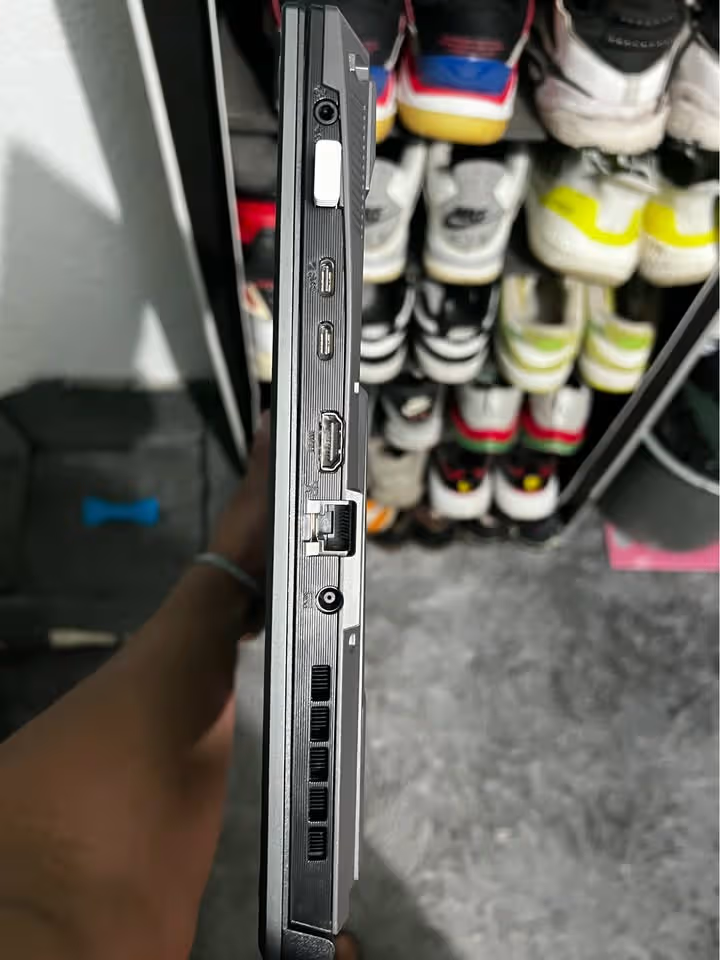
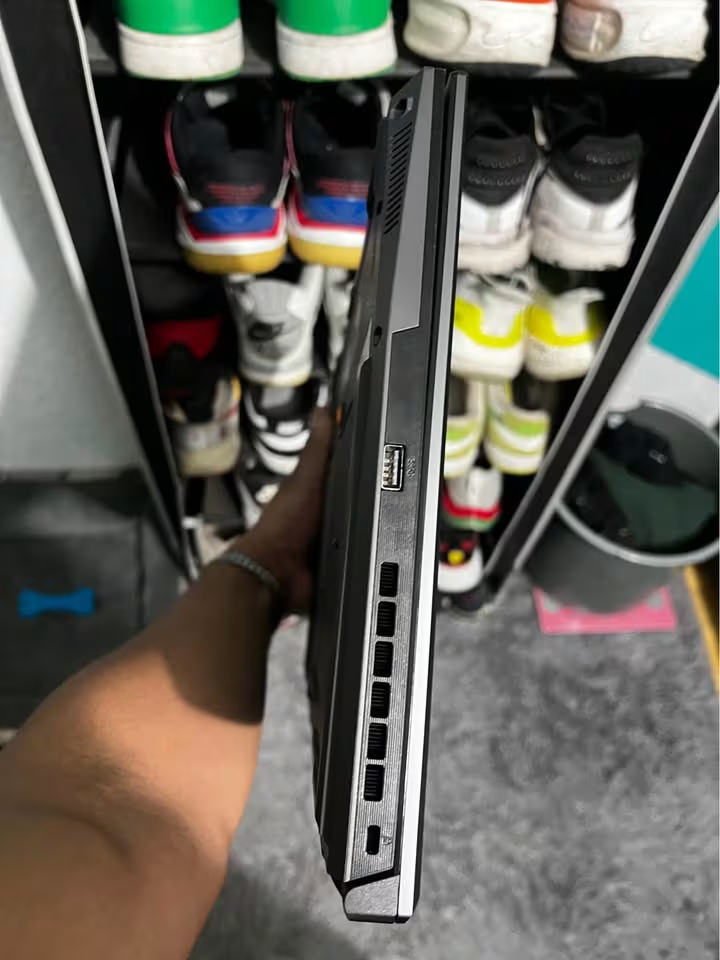
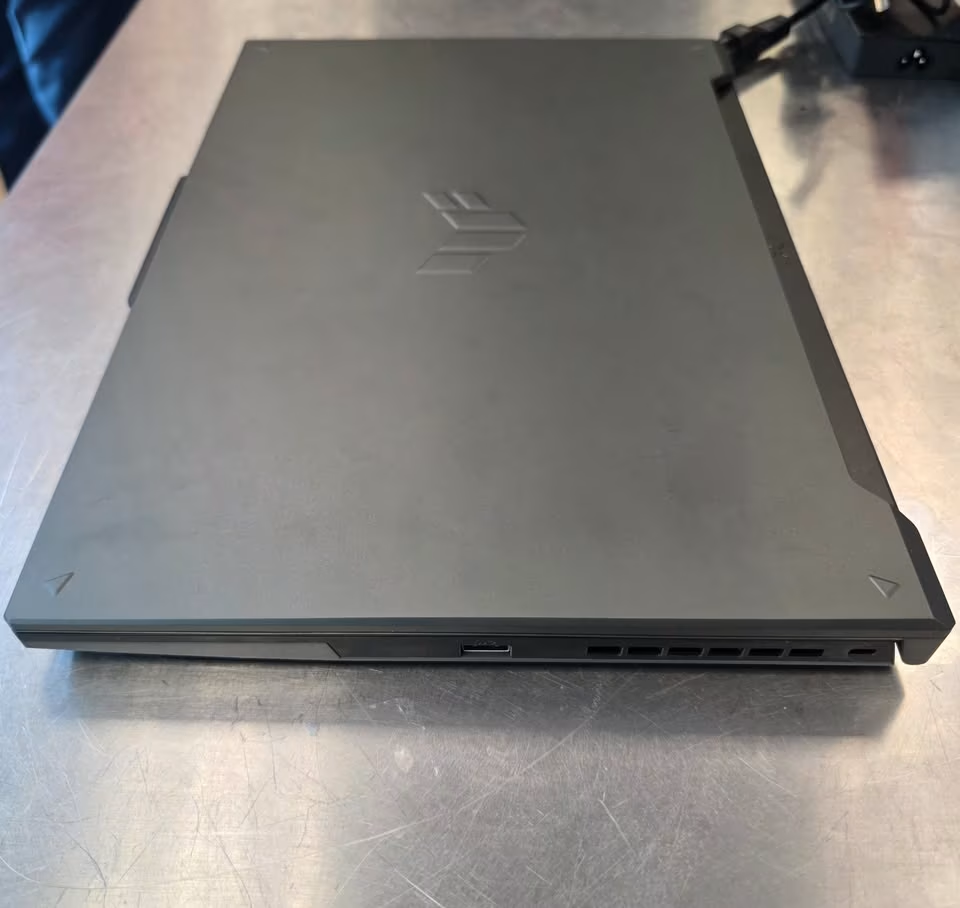

The A16 is offering 5 USB ports in total (1 × USB Type-C with the DisplayPort 1.4, 1 × USB 3.2 Gen 2 Type-C with the DisplayPort 2.1 and also Power Delivery, and 3 × USB 3.2 Gen 2 Type-A). The F16 is also offering 5 USB ports as well, but it is swapping inside a Thunderbolt 4 Type-C port to take the place of the standard USB-C one.
Just for the reference, the Thunderbolt 4 is supporting up to 40Gbps of data transfer, and this is making it very ideal to use for the external SSDs, the docking stations, and also the eGPU enclosures. The standard USB Type-C which is on the A16 is limited only to a bandwidth that is lower, because it not having the Thunderbolt protocol inside it.
Both of the laptops are including one HDMI 2.1 FRL port, one RJ45 LAN port, and also one 3.5mm audio combo jack together.
Battery
The ASUS TUF A16 is using 90Wh Lithium-ion battery, and the ASUS TUF F16 also using same 90Wh Lithium-ion battery. So both are having the identical battery capacity, no difference there.
Both of these batteries are supporting fast charging feature, where you can get up to 50% charge in only 30 minutes, which is quite fast actually. Also both are supporting the 100W USB Type-C charging, so you can power delivery on-the-go when you are travelling or moving around.
Now coming to the real-world battery life, the AMD-powered A16 maybe having some slight edge in the battery longevity when you doing the lighter tasks, because AMD’s Ryzen processors are generally famous for the better power efficiency, this is known thing. But when you put heavy gaming loads, then both the laptops will drain in similar rate only, this is happening because of the shared RTX 5070 GPU inside both. Below table is giving some more details regarding the battery and power specs:
| Specification | A16 (AMD) | F16 (Intel) |
| Battery Capacity | 90 Wh | 90 Wh |
| Fast Charging | 50% in 30 min | 50% in 30 min |
| USB-C Charging | 100W | 100W |
| Processor TDP | AMD Ryzen 9 | Intel Core i7 |
| GPU TGP | 115W (100W+15W) | 115W (100W+15W) |
Cooling System
Both the ASUS TUF A16 and the ASUS TUF F16 are sharing the exact same cooling architecture. Both of them are having the 2nd Generation Arc Flow Fans, one full-width heatsink, and also the full-width exhaust vents for throwing out the hot air.

In the Performance Mode, both laptops are operating at 38 dB only, which is relatively quiet if you compare with other gaming laptops in this same segment.
The F16 is additionally advertising the keyboard and touchpad surface temperatures up to 7°C more cooler, and this thing could be making a tangible difference when you are doing extended gaming sessions for long time.
Are ASUS TUF Laptops A Good Value?
So now the big question is coming… which ASUS TUF is giving the better value for money?
Both the ASUS TUF A16 and the ASUS TUF F16 are having the identical GPU performance, same display resolution, same battery capacity, same cooling systems, and also same design language.
The differences between these two models are like below:
So depending on how much important these features are for you, the value between each model can be varying.
One thing to note here, the A16 is having a certain level of upgradability also. The 16GB RAM which is coming with the TUF A16 can be upgraded to 32GB or even up to 64GB, same like the TUF F16, even though the A16 is coming with only 16GB out of the box from starting. The same thing you can say for the storage also. Since both are having similar expansion slots, the A16 can also accommodate the additional NVMe drives, it is just not getting included in the initial purchase of the A16.
After adding the cost of the upgraded RAM and the additional storage, that is narrowing down the gap in the capabilities between these two products. So this is basically equating to only the value of Thunderbolt 4 and the brighter display. So is the Thunderbolt 4 port, that 100 extra nits of brightness, and one 1080P IR webcam is really worth for choosing the F16 over the A16’s extra threads and the higher boost clock?
If yes, then the ASUS TUF F16 maybe the right one for you. But if you are prioritizing the raw multi-threaded performance and you don’t need the Thunderbolt connectivity, then the A16 would be likely the better value option.
ASUS TUF A16 vs. F16 Specifications
Down here you will get the full comparison of the important specs on ASUS TUF Gaming A16 against the ASUS TUF Gaming F16.
You can check it here:
| Specification | A16 (AMD) | F16 (Intel) |
| Processor | AMD Ryzen 9 8940HX | Intel Core i7-14650HX |
| Base Clock | 2.4 GHz | 2.2 GHz |
| Boost Clock | Up to 5.3 GHz | Up to 5.2 GHz |
| Cores / Threads | 16 / 32 | 16 / 24 |
| Cache | 80 MB | 30 MB |
| GPU | RTX 5070 (8GB GDDR7) | RTX 5070 (8GB GDDR7) |
| GPU TGP | 115W (100W+15W) | 115W (100W+15W) |
| RAM | 16 GB DDR5-5600 | 32 GB DDR5-5600 |
| Max RAM | 64 GB | 64 GB |
| Storage | 1 TB PCIe 4.0 NVMe | 1 TB PCIe 4.0 NVMe |
| Display Size | 16″ | 16″ |
| Resolution | 2560 × 1600 (2.5K) | 2560 × 1600 (2.5K) |
| Refresh Rate | 165 Hz | 165 Hz |
| Response Time | 3 ms | 3 ms |
| Brightness | 400 nits | Up to 500 nits |
| G-SYNC | Yes | Yes |
| Aspect Ratio | 16:10 | 16:10 |
| Thunderbolt 4 | No | Yes |
| USB Type-C (DP) | Yes (DP 1.4 + DP 2.1) | Yes (DP 2.1) |
| USB Type-A | 3 × USB 3.2 Gen 2 | 3 × USB 3.2 Gen 2 |
| HDMI | 2.1 FRL | 2.1 FRL |
| RJ45 LAN | Yes | Yes |
| Audio Jack | 3.5 mm Combo | 3.5 mm Combo |
| Webcam | Standard | 1080P IR Camera |
| Wi-Fi | Wi-Fi 6E | Wi-Fi 6E |
| Keyboard | 1-Zone RGB, Copilot Key | 1-Zone RGB, Copilot Key |
| Battery | 90 Wh | 90 Wh |
| Fast Charging | 50% in 30 min | 50% in 30 min |
| Cooling | 2nd Gen Arc Flow Fans | 2nd Gen Arc Flow Fans |
| Noise (Perf Mode) | 38 dB | 38 dB |
| Weight | 2.2 kg | 2.2 kg |
| Dimensions | 35.4 × 26.9 × 1.8 cm | 35.4 × 26.9 × 1.8 cm |
| OS | Windows 11 Home | Windows 11 Home |
| Software | M365 Basic + Office Home 2024 | M365 Basic + Office Home 2024 |
| Colour | Jaeger Gray | Jaeger Gray |
ASUS TUF A16 vs. F16 — Which is better for You?
So actually the choosing between ASUS TUF A16 and ASUS TUF F16 is not divided by so many factors. The most big differences of these two models I am listing them in below:
Processor Platform
In case you are searching for the more multi-threaded power, then the ASUS TUF A16 is becoming the clear pick. The AMD Ryzen 9 8940HX is carrying 32 threads if we compare it to the 24 on the Intel chip, and also with the bigger 80MB cache together. Because of this it is very much suitable for the content creators, the developers, and also the heavy multitaskers people.
RAM
Even though it is upgradable, but there is chance that the F16 is giving the better multitasking performance out-of-the-box, this is because of the 32GB RAM configuration it have. The A16 is coming with the lower 16GB configuration, which maybe can struggle with the memory-heavy workflows if you don’t do the upgrade.
Display Brightness
Also for the peoples who are doing work inside the more brighter places, the higher brightness on the F16 display (going up to 500 nits) can become one real advantage for them.
Thunderbolt 4
If the high-speed peripheral connecting is one big thing for you, then this is the thing which you are only getting with the ASUS TUF F16. You can connect your favourite accessories—the external SSDs, the docking stations, or also the eGPU enclosures—and let the Thunderbolt 4 give you the fast data transferr.
Webcam
The F16 is also having one clearly better webcam, with the 1080P resolution and the IR capability also, which is for the Windows Hello face recognition. The A16 is only using the normal webcam and it don’t have the IR function inside.
So if you want the best multi-threaded performance and you are not needing the Thunderbolt 4 or the more brighter display, then I will suggest to you the ASUS TUF A16 gaming laptop. But if the connectivity, the out-of-the-box RAM, and the display brightness are mattering more for you, then the ASUS TUF F16 is becoming the stronger choice on the same price point.