Nowadays, with AI-based workflows growing Fastly and softwares becoming more heavy day by day, peoples are slowly understanding why a powerful but pocket-friendly laptop is so much important. And when we talk about picking a Core i7 laptop under ₹80,000, there are many things which you must check carefully, like how smoothly it can handle multitasking, what kind of display quality it is giving, how long the battery is lasting, and also the build quality of the chassis. Apart from these, some other things like port availability, keyboard typing comfort, and thermal management also play a big role in making the laptop more user-friendly for daily usage. After doing proper testing on some of the best-selling Core i7 laptops available in market right now, below is our top suggestion for you.
Some links in this post are affiliate links of Amazon India. As an Amazon Associate, I earn from qualifying purchases. It means, if you click on my link and buy any product, I can get small commission from Amazon, and there is no any extra cost for you.
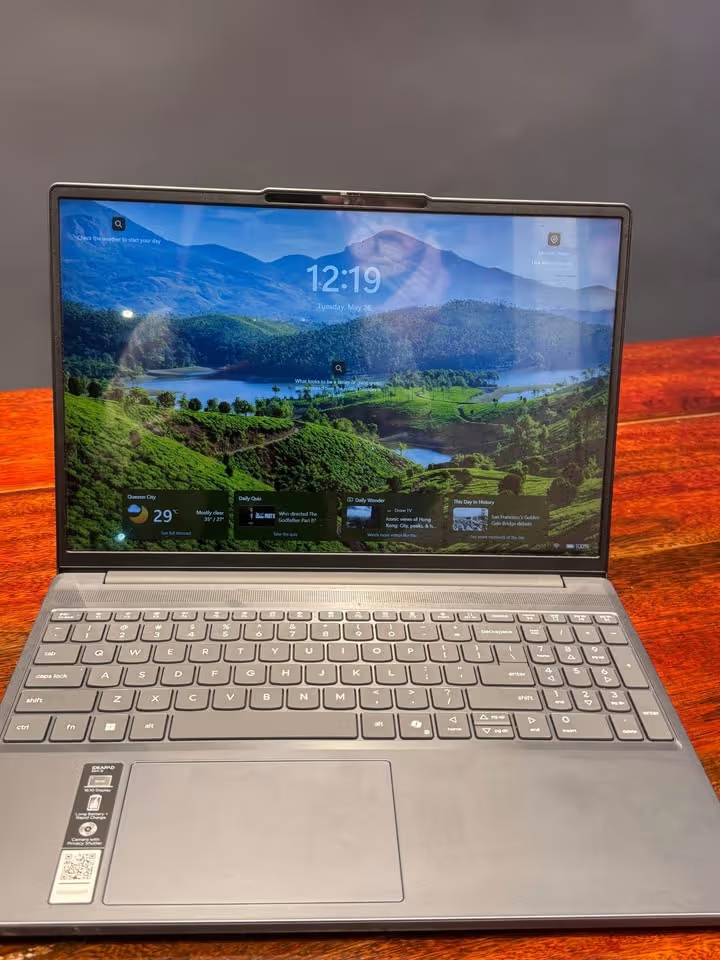
From all the options we have checked, we are strongly recommending the Lenovo IdeaPad Slim 3 because of its superb performance, bright colourful display, and slim lightweight body. It is coming with the Intel Core i7-13620H processor, paired with 16GB DDR5 RAM and 1TB SSD storage, which means it can easily manage heavy multitasking and productivity-related works without any lag issue. The 15.3-inch WUXGA IPS display, having 300 nits brightness with 16:10 aspect ratio, gives an extra benefit for both office-type work and watching movies or shows. On top of that, the laptop is priced around ₹76,390 only (at the time of publishing this) and the weight is also just 1.4 Kg, which is really impressive. Because of all these reasons combined together, it is becoming our most-recommended pick in this budget range.
Which Are The Best Core i7 Laptops Under ₹80,000?
| Model | Processor | RAM / Storage | Display | Battery | Weight |
| Lenovo IdeaPad Slim 3 | i7-13620H (10C/16T) | 16GB DDR5 / 1TB SSD | 15.3″ WUXGA IPS, 300 nits | 50Wh | 1.4 Kg |
| ASUS Vivobook 15 | i7-13620H (10C/16T) | 16GB DDR4 / 1TB SSD | 15.6″ FHD IPS, 250 nits | 42Wh | 1.7 Kg |
| Dell Inspiron 15 | i7-1355U (10C/12T) | 16GB DDR4 / 512GB SSD | 15.6″ FHD IPS, 250 nits, 120Hz | 54Wh | 1.62 Kg |
| HP 15 | i7-13620H (10C/16T) | 16GB DDR4 / 512GB SSD | 15.6″ FHD, 200 nits | 41Wh | 1.65 Kg |
Top Core i7 Laptops Under ₹80,000
From last many years, we are testing so many laptops which comes with different processors, display technology, build quality and also battery capacity. In this guide I am going to list the best models which is good for daily productivity work and multitasking purpose. But for more deep information about each device, I will suggest you to read the individual full reviews which is available in our website.

The Lenovo IdeaPad Slim 3 is coming with Intel Core i7-13620H processor, which is having base clock of 2.4 GHz and boost clock going up to 4.9 GHz, with 10 cores, 16 threads and 24MB cache memory. This processor is paired together with 16GB DDR5-4800 RAM and one 1TB PCIe 4.0 NVMe SSD, due to which it loads the applications very fast and also handle multiple tasks easily. In our multitasking testing, this laptop was handling 25 Chrome tabs, one PowerPoint presentation and 1080p video playback also, all at same time, and we did not noticed any stutter.
Now talking about the display part, the thing which we liked is that it is coming with a 15.3″ WUXGA IPS panel of 1920×1200 resolution and 16:10 aspect ratio. Since it is more taller than the normal 16:9 display, user is getting extra vertical screen space, which becomes very helpful when you do document editing or web browsing work. The brightness is 300 nits, which is the highest one in this whole comparison. Also it is TUV Low Blue Light certified, so it is reducing the eye strain when you are working for long hours continuously.

This display is one big upgrade if you compare with other options available in same price range. Most of the laptops in this budget are only giving the standard FHD 1920×1080 display with 250 nits brightness only. But, when you use it in daily life, the difference in sharpness and the viewing comfort is clearly visible.
Coming to the build quality portion, the laptop is having metal top cover, due to which it feels premium in hand. At only 1.4 Kg weight, it is the most lightest laptop in this list, so carrying it in a backpack or messenger bag is becoming very easy. Also the slim form factor of 1.8 cm thickness is adding more to its portability.
One thing which we liked is that the FHD 1080p camera is coming together with one IR sensor and also privacy shutter. The IR camera is giving Windows Hello facial recognition support for fast and secure login, which is something you will not get in any other laptop in this price segment. The stereo speakers are having Dolby Audio optimisation also, and they are giving decent sound output for casual media watching purpose.
Now coming on battery side, the 50Wh battery is giving claimed local video playback up to 14.5 hours. But in our real-world usage testing, with mix of browsing, document editing and video playback at 50% brightness level, it was lasting around 7-8 hours only. The Rapid Charge Boost feature is providing 2 hours of runtime in only 15 minutes of charging, which becomes very useful for people who are travelling on the go.
Although it is having one powerful H-series processor, but still it is depending on Intel UHD integrated graphics only. Means, it is not the ideal choice for GPU heavy work like video editing or gaming beyond some casual titles.
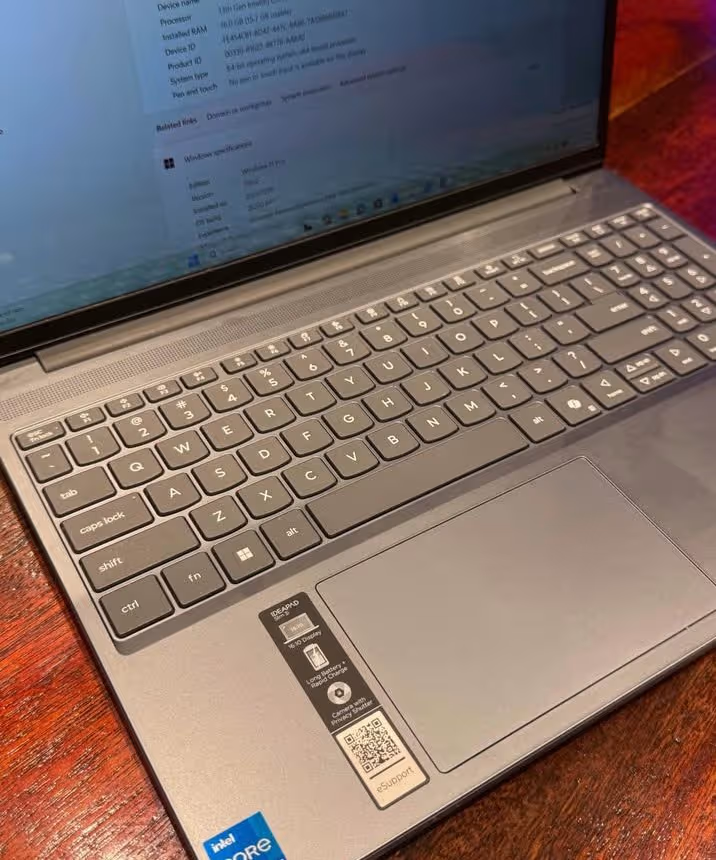
Talking about the connectivity part, you are getting Wi-Fi 6 and Bluetooth 5.2, total 3 USB ports and one HDMI output also. The backlit keyboard is comfortable for typing in low light condition. The I/O selection is enough for most of the users.

Overall, we are recommending it as the best Core i7 laptop under ₹80,000 because of its excellent display, DDR5 memory, lightweight body and the competitive pricing also.
Specifications
| Feature | Details |
| Dimensions (cm) | 34.3L x 23.9W x 1.8H cm |
| Weight | 1.4 Kg |
| Processor | Intel Core i7-13620H (2.4 GHz base / 4.9 GHz boost, 10 cores, 16 threads, 24MB cache) |
| RAM | 16GB DDR5-4800 (8GB Soldered + 8GB SO-DIMM, Max 24GB) |
| Storage | 1TB M.2 PCIe 4.0×4 NVMe SSD |
| Display | 15.3″ WUXGA IPS (1920×1200), 300 nits, 16:10, Anti-Glare, TUV Low Blue Light |
| Graphics | Intel UHD Graphics (Integrated) |
| Camera | FHD 1080p with IR Camera and Privacy Shutter |
| Battery | 50Wh Li-Polymer, Rapid Charge Boost |
| Battery Life (claimed) | Up to 14.5 hours (video playback) |
| OS & Software | Windows 11 Home, Microsoft 365 Basic + Office Home 2024 |
| Keyboard | Backlit |
| Audio | Stereo speakers, 2W x2, Dolby Audio |
| Wi-Fi | Wi-Fi 6 (802.11ax) |
| Bluetooth | 5.2 |
| USB Ports | 3 |
| HDMI | 1x HDMI |
| Warranty | 1 Year ADP Free |
| Best Suited For | Students, Business, Everyday Productivity |

The ASUS Vivobook 15 is most affordable Core i7 laptop in this list, it costing around ₹71,990 (on the time of publishing). This laptop is coming with the same Intel Core i7-13620H processor like the Lenovo one, having 10 cores, 16 threads and boost clock going up to 4.9 GHz. It is pair with 16GB DDR4-3200 RAM and one 1TB PCIe 4.0 NVMe SSD.
One thing which we liked in this laptop is that ASUS has put their IceCool thermal solution, which having up to 87 fan blades, 2 heat pipes and they claim 30% more airflow. Because of this, it is comparatively doing better job for managing the thermals in sustained loads. In our stress testing, the CPU temperature was staying under 85°C even after the 45 minutes of continuous load. Keyboard deck also remain quite cool, which is important thing for the comfortable typing in extended usage.
Now talking about display part, the laptop is having a 15.6″ FHD (1920×1080) IPS panel with 60Hz refresh rate and only 250 nits of brightness. One thing we found little underwhelming is that this display is covering only 45% NTSC colour gamut, means the colours are looking slightly washed out if you compare with the Lenovo. For doing document work and browsing, the display is perfectly fine. But for photo editing or any colour-sensitive work, it is falling short.
The 82% screen-to-body ratio and 178° wide viewing angle are good things at this price segment. Anti-glare coating is also working well in indoor lighting condition.
Coming on the build quality, this laptop is weighing 1.7 Kg and it is 2 cm thick. So it is not the lightest or thinnest option of this list. Overall the build is feeling sturdy but mostly it is plastic only. The backlit chiclet keyboard is having a numeric keypad also, it is comfortable for typing and the key travel is satisfactory enough.
But, the camera is only 720p HD, which is noticeably poor if you compare with FHD cameras of Lenovo and HP. If you are doing video calls frequently, then this can be a drawback for you. Though it is coming with one privacy shutter also.
If you go with this laptop, then you are getting good value of money with 1TB storage and one powerful H-series processor. We are highly recommending it for the students and general users who is giving priority to storage and performance over the display quality and premium build.
Coming on the connectivity part, this laptop is having Wi-Fi 6E and Bluetooth support, which is one upgrade over the Wi-Fi 6 that is found in other options. You are getting total 4 USB ports including one USB Type-C with power delivery support, 1 HDMI 1.4 port and one 3.5mm combo audio jack. Port selection is most generous in this whole list.


The 42Wh battery is second smallest one in this list. In our real-world usage, it was lasting around 5-6 hours with the mixed usage of browsing and document editing. This is enough for short commute but it may not last for full working day.
The manufacturers are also including Microsoft 365 Basic for 1 year and Office Home 2024 with lifetime validity, which is adding extra value in this package.
Specifications
| Feature | Details |
| Dimensions (cm) | 36L x 23.3W x 2H cm |
| Weight | 1.7 Kg |
| Processor | Intel Core i7-13620H (2.4 GHz base / 4.9 GHz boost, 10 cores, 16 threads, 24MB cache) |
| RAM | 16GB DDR4-3200 |
| Storage | 1TB M.2 PCIe 4.0 NVMe SSD |
| Display | 15.6″ FHD IPS (1920×1080), 250 nits, 60Hz, 45% NTSC, Anti-Glare |
| Graphics | Intel UHD Graphics (Integrated) |
| Camera | 720p HD with Privacy Shutter |
| Battery | 42Wh, 3-cell Li-ion |
| OS & Software | Windows 11 Home, Microsoft 365 Basic (1 Year) + Office Home 2024 |
| Keyboard | Backlit Chiclet with Num-key |
| Thermal Solution | ASUS IceCool (87 fan blades, 2 heat pipes) |
| Wi-Fi | Wi-Fi 6E |
| Bluetooth | Yes |
| USB Ports | 4 (1x USB 2.0, 1x USB-C 3.2 Gen 1, 2x USB 3.2 Gen 1 Type-A) |
| HDMI | 1x HDMI 1.4 |
| Warranty | On-site |
| Best Suited For | Students, Entertainment, Budget-conscious Buyers |

Dell 15 is most expensive laptop in this list, priced around ₹80,000. The company is not using H-series processor in this model, instead they are giving Intel Core i7-1355U, which is a U-series (means energy-efficient) processor. It has 10 cores but threads are only 12, and it is more tuned for battery life rather than raw performance.
Same like the ASUS, in Dell 15 also you are getting 16GB DDR4 RAM, but storage is only 512GB SSD. Because of this, the storage is half when we compare with Lenovo and ASUS options. Dell is having one feature which they call ExpressCharge, it charge the battery upto 80% in only 60 minutes. The battery is 54Wh, and in single charge it can easily run for a full working day. But one drawback is there, because of U-series processor the performance in CPU-heavy tasks is clearly lower than H-series laptops. So this may not be good choice if you want to do heavy multitasking or compile big projects.
Now coming to display part, the laptop is having 15.6″ FHD (1920×1080) IPS panel with 120Hz refresh rate, which is highest in this list. Due to 120Hz refresh rate, the scrolling, cursor movement and normal navigation is feeling much smoother when we compare with 60Hz displays of other laptops. Brightness is 250 nits, which is normal for this price segment. Dell ComfortView Low Blue Light software is also helping to reduce the eye strain.
About build quality, the laptop weight is 1.62 Kg and thickness is 1.7 cm only. The silver colour finish is looking clean and professional. Keyboard is backlit type and the touchpad is also spacious, so navigation become easy. Overall build is decent but it feels more like utility laptop, not premium one.
The FHD camera is doing good job for video calls, but it is not having privacy shutter, which is a small miss from Dell side.
Coming to other features, the laptop is running on Windows 11 Home and it also comes with Microsoft Office Home 2024 and 15-months McAfee subscription. You get total 3 USB ports including one USB Type-C, also 1 HDMI 1.4 port and one 3.5mm headset jack. Port selection is okay but not so generous like ASUS one.

Battery life is the area where Dell 15 is really shining. The 54Wh battery with energy-efficient U-series processor is giving around 8 to 9 hours of real usage. This is best battery backup among all the laptops in this list. If you are student or working professional who is spending long hours away from charging point, then this is a big advantage for you.
Overall, the Dell 15 is best suitable for those users who are giving more priority to battery life and display smoothness, rather than raw processing power and storage size.
Specifications
| Feature | Details |
| Dimensions (cm) | 35.8L x 23.5W x 1.7H cm |
| Weight | 1.62 Kg |
| Processor | Intel Core i7-1355U (up to 5 GHz boost, 10 cores, 12 threads) |
| RAM | 16GB DDR4-2666 |
| Storage | 512GB M.2 PCIe NVMe SSD |
| Display | 15.6″ FHD IPS (1920×1080), 250 nits, 120Hz |
| Graphics | Intel UHD Graphics (Integrated) |
| Camera | FHD 1080p |
| Battery | 54Wh, 4-cell Li-ion, ExpressCharge (80% in 60 min) |
| Battery Life (claimed) | Up to 8 hours |
| OS & Software | Windows 11 Home, Office Home 2024, 15-month McAfee |
| Keyboard | Backlit |
| Wi-Fi | Wi-Fi 6 (802.11ax) |
| Bluetooth | Not listed |
| USB Ports | 3 (1x USB-C 3.2, 1x USB-A 3.2, 1x USB 2.0) |
| HDMI | 1x HDMI 1.4 |
| Warranty | Limited |
| Best Suited For | Business, Long Battery Life, Professionals on the Go |

The HP 15 is second most costly laptop in this list, price is around ₹79,990. It is coming with same Intel Core i7-13620H processor like the Lenovo and ASUS one, which have 10 cores and 16 threads, and boost clock going up to 4.9 GHz. The RAM is 16GB DDR4-3200, configured as 2x 8GB sticks, so it run in dual-channel mode which is good for performance. But the storage you are getting is only 512GB PCIe NVMe SSD, which is bit less for this price range.
One thing we liked about this laptop is its HP True Vision 1080p FHD camera, it comes with temporal noise reduction and also dual array digital microphones are integrated inside. Because of this, it is comparatively better for video calls when lighting is low. The privacy shutter is also a nice addition for users who are concerned about security. Lenovo is giving similar camera setup, but the temporal noise reduction on HP gives small edge in call quality.
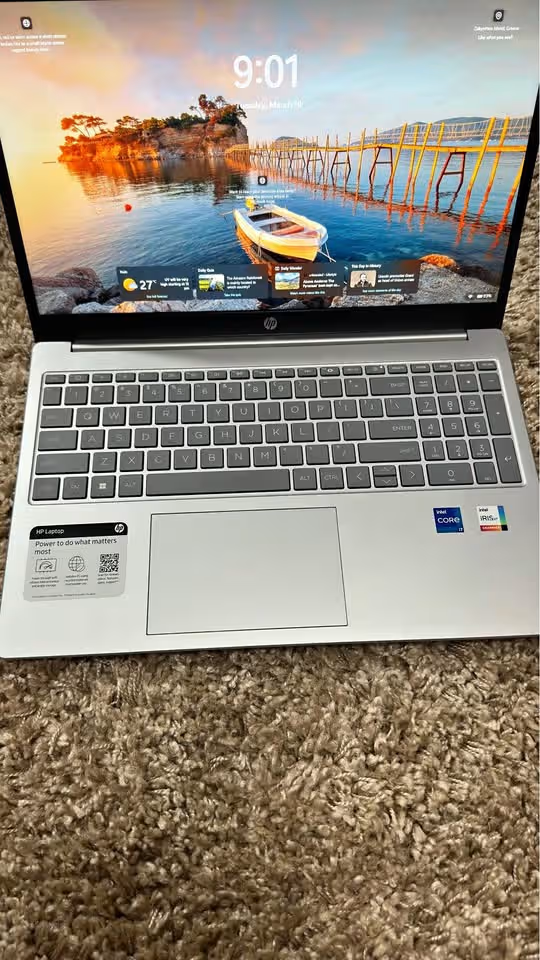
Now talking about display, the laptop has 15.6″ FHD (1920×1080) micro-edge, anti-glare panel, but brightness is only 200 nits. The disappointing thing we noticed is, this brightness is lowest in our list. The colour gamut at 45% NTSC is same like ASUS one. For indoor use in controlled lighting it is okay, but when you sit near window or in bright environment, the screen looking dim. This is not ideal because display should be minimum 250 nits for comfortable viewing in different lighting condition. This problem could be avoid if HP put a brighter panel inside.
If you are choosing this laptop, we strongly suggest to use it mostly indoor and adjust brightness setting according to ambient light around you.
Coming on other features and functions, the laptop is having full size backlit keyboard with numeric keypad. The key travel and feedback is among the best in this comparison group. You can type for long hours without getting fatigue in fingers. It runs on Windows 11 Home and also comes with MS Office Home 2024, plus 3-month Xbox Game Pass and 1 year Microsoft 365 Basic free of cost.
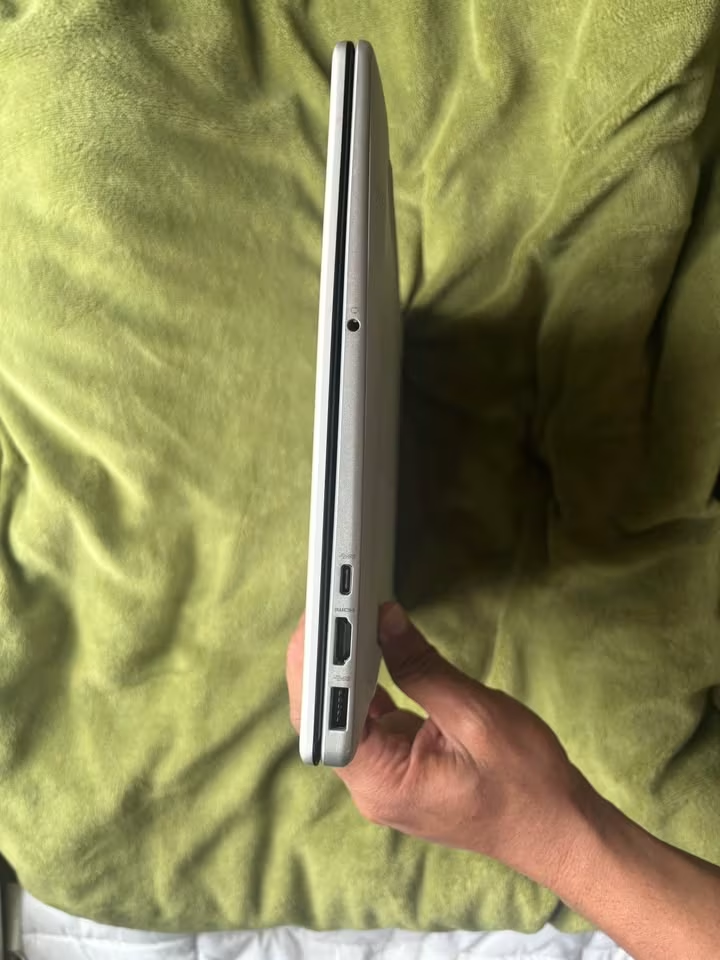
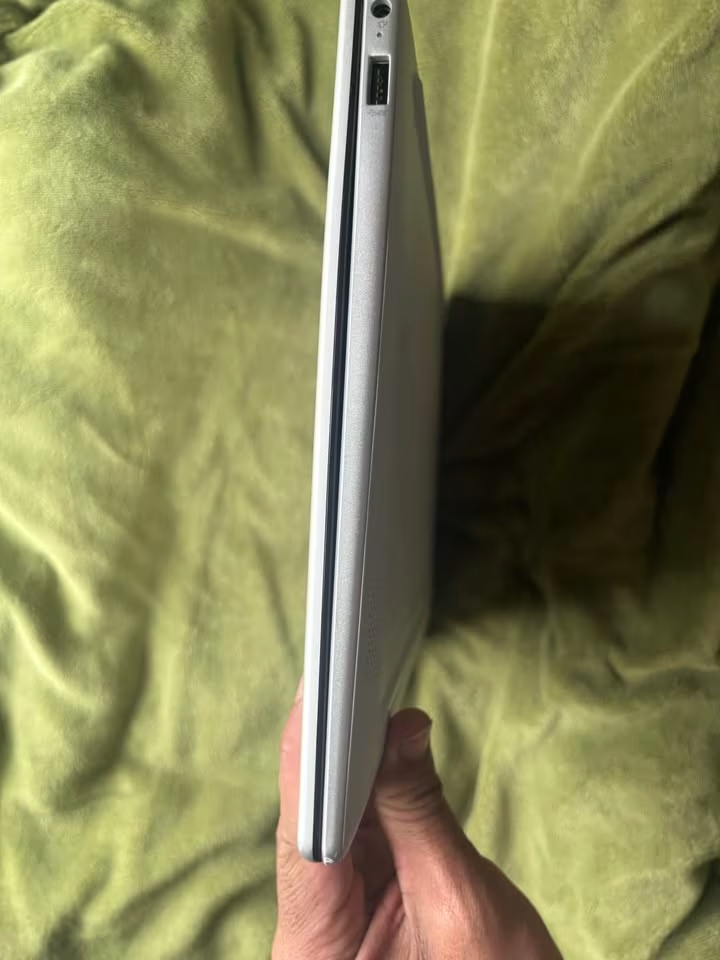
The connectivity is the area where HP 15 is holding its own ground nicely. The USB Type-C port supports 10Gbps data transfer speed, Power Delivery and also DisplayPort 1.2. Means you can charge the laptop, connect one external display and transfer the data, all from single USB-C port only. This is the most versatile USB-C implementation in this list. You also get 2 USB Type-A 5Gbps ports, 1 HDMI 1.4b port and one 3.5mm combo jack for audio. Wi-Fi 6 and Bluetooth 5.3 is completing the connectivity options.
The battery is 41Wh, which is smallest in this list. HP is claiming upto 6 hours and 15 minutes of battery backup. But in our testing, it was lasting around 4.5 to 5 hours only, which is lowest among all the options here. The fast charging feature, which is giving 50% charge in 45 minutes, partially compensate the smaller battery, but it is not full solution if you are staying away from power socket for long time.
Specifications
| Feature | Details |
| Dimensions (cm) | 36L x 23.6W x 1.9H cm |
| Weight | 1.65 Kg |
| Processor | Intel Core i7-13620H (up to 4.9 GHz boost, 10 cores, 16 threads, 24MB cache) |
| RAM | 16GB DDR4-3200 (2x 8GB, Dual-Channel) |
| Storage | 512GB PCIe NVMe M.2 SSD |
| Display | 15.6″ FHD (1920×1080), 200 nits, Micro-Edge, Anti-Glare, 45% NTSC |
| Graphics | Intel UHD Graphics (Integrated) |
| Camera | HP True Vision 1080p FHD with Temporal Noise Reduction, Privacy Shutter |
| Battery | 41Wh, 3-cell Li-ion Polymer, Fast Charge (50% in 45 min) |
| Battery Life (claimed) | Up to 6 hours 15 minutes |
| OS & Software | Windows 11 Home, Office Home 2024, M365 Basic (1 Year), Xbox Game Pass (3 Months) |
| Keyboard | Full-size Backlit with Numeric Keypad |
| Audio | Dual Speakers |
| Wi-Fi | Wi-Fi 6 (Realtek, 2×2) |
| Bluetooth | 5.3 |
| USB Ports | 3 (2x USB-A 5Gbps, 1x USB-C 10Gbps with PD & DP 1.2) |
| HDMI | 1x HDMI 1.4b |
| Warranty | Limited |
| Best Suited For | Students, Business, Video Calls, Indoor Productivity |
How To Choose a Core i7 Laptop Under ₹80,000?
Processor Variant
The processor variant is the most important thing for see when you are buying a Core i7 laptop. It is helping you for understand that the laptop is fit or not for the workload which you want to do. In broad way, the H-series processors are giving more high performance and they are suitable for the heavy multitasking work. The U-series processors, in other side, are made for battery life but they loose some raw performance also. If processor is too much powerful, then you are paying extra money for the performance which you don’t need actually. If processor is too much energy-saving type, then the laptop cannot handle the heavy tasks in proper way. So because of this, to choose the correct processor variant is one big important point.
Display Quality
The specifications which is given by the manufacturer companies, sometimes it can be different when you use it in real life situation. So because of this, to see the actual reviews for understanding the display quality in different different lighting condition is very important. That is the reason we did testing of all laptops for their display brightness, colour accuracy and the viewing angles also, in different different environments.
RAM and Storage
The laptops in this price segment are coming with DDR4 RAM or DDR5 RAM. It is not only important thing that your laptop is having 16GB RAM, but also it should be fast enough for your type of workload. Like for example, in ideal way, the DDR5-4800 RAM is giving much more high bandwidth if we compare with DDR4-3200. But, for the daily basic tasks, this difference you cannot feel always. Also, the 1TB SSD is slowly becoming the minimum requirement for those users who is storing big big files, projects and the media library collections.
Battery Life
Many peoples are using their laptops during the travel time, in coffee shops and in those places where power plug is not easily available. So because of this, it is important that laptop is having one sufficient big battery, it should support the fast charging feature and also give the consistent battery backup in real usage.
Build Quality and Portability
Most of the budget-friendly laptops are coming with mainly plastic body build. They should give the feeling of strong and well-made one. Extra points are there for those laptops which is coming with metal panels also, because it gives one more premium type feel. The lightweight options which is under 1.5 Kg, they are making it much more easier for carry around in daily routine.
How We Tested?
The first and most important function of any laptop is to give consistent performance in long workloads without throttling issue. For copying the conditions of normal user, we have run benchmark testings using Cinebench R23 for checking CPU performance and CrystalDiskMark for SSD speeds. After that, we did real-world multitasking test by opening 20+ Chrome tabs, Microsoft Office apps and one video editing timeline, all running at same time together. We also see how each laptop is handling the thermals under heavy load with help of HWMonitor, and we note down the temperatures after every 15 minutes during a 1-hour stress testing. Apart from this, we also checked the display quality, keyboard typing comfort, trackpad response, port selection, battery backup, build quality, speaker sound output and many other things before reaching to a final recommendation.
Some manufacturers are saying that budget-friendly laptops mostly do compromise on the thermal management part, which leads to a thing commonly called as thermal throttling. What it basically means is, the processor itself reduce its clock speed when temperature becomes too much hot, and because of this it can not deliver the actual performance which it is capable to give, so it makes a bottleneck situation. But in our testing, only one laptop was showing the noticeable throttling problem. For doing all our tests, we have measured the surface temperature on the keyboard deck area and also on the bottom panel side, and then we compared the sustained clock speeds against the base clock under load condition.
Side-by-Side Comparison of the Best Core i7 Laptops Under ₹80,000
| Feature | Lenovo IdeaPad Slim 3 | ASUS Vivobook 15 | Dell Inspiron 3530 | HP 15 |
| Weight | 1.4 Kg | 1.7 Kg | 1.62 Kg | 1.65 Kg |
| Processor | i7-13620H (10C/16T) | i7-13620H (10C/16T) | i7-1355U (10C/12T) | i7-13620H (10C/16T) |
| Base / Boost Clock | 2.4 / 4.9 GHz | 2.4 / 4.9 GHz | 1.7 / 5.0 GHz | 2.4 / 4.9 GHz |
| RAM | 16GB DDR5-4800 | 16GB DDR4-3200 | 16GB DDR4-2666 | 16GB DDR4-3200 |
| Max RAM | 24GB | 16GB | 16GB | 16GB |
| Storage | 1TB SSD (PCIe 4.0) | 1TB SSD (PCIe 4.0) | 512GB SSD (PCIe NVMe) | 512GB SSD (PCIe NVMe) |
| Display Size | 15.3″ | 15.6″ | 15.6″ | 15.6″ |
| Display Resolution | 1920×1200 (WUXGA) | 1920×1080 (FHD) | 1920×1080 (FHD) | 1920×1080 (FHD) |
| Display Brightness | 300 nits | 250 nits | 250 nits | 200 nits |
| Refresh Rate | 60Hz | 60Hz | 120Hz | 60Hz |
| Aspect Ratio | 16:10 | 16:9 | 16:9 | 16:9 |
| Anti-Glare | Yes | Yes | No | Yes |
| Graphics | Intel UHD | Intel UHD | Intel UHD | Intel UHD |
| Camera | FHD 1080p + IR | 720p HD | FHD 1080p | FHD 1080p |
| Privacy Shutter | Yes | Yes | No | Yes |
| Battery | 50Wh | 42Wh | 54Wh | 41Wh |
| Fast Charging | Yes (2hr in 15min) | Yes | Yes (80% in 60min) | Yes (50% in 45min) |
| Keyboard | Backlit | Backlit Chiclet w/ Numpad | Backlit | Backlit w/ Numpad |
| Wi-Fi | Wi-Fi 6 | Wi-Fi 6E | Wi-Fi 6 | Wi-Fi 6 |
| Bluetooth | 5.2 | Yes | No | 5.3 |
| Total USB Ports | 3 | 4 | 3 | 3 |
| USB-C | Yes | Yes (PD, 5Gbps) | Yes (3.2 Gen 1) | Yes (PD, DP 1.2, 10Gbps) |
| HDMI | Yes | HDMI 1.4 | HDMI 1.4 | HDMI 1.4b |
| OS | Windows 11 Home | Windows 11 Home | Windows 11 Home | Windows 11 Home |
| Included Software | M365 Basic + Office 2024 | M365 Basic (1yr) + Office 2024 | Office 2024 + McAfee 15mo | M365 Basic (1yr) + Office 2024 + Game Pass 3mo |
| Warranty | 1 Year + ADP | On-site | Limited | Limited |
| Best Suited For | Students, Business, Productivity | Students, Entertainment, Budget | Business, Battery Life | Students, Video Calls |
FAQ on Core i7 Laptops Under ₹80,000
For basic to medium level video editing in 1080p, a Core i7 laptop with integrated graphics can handle the work load without much problem. But for professional 4K editing or heavy effects related work, a dedicated GPU is recommend, which usually push the price above ₹80,000 budget.
For casual and light weight games, these laptops with Intel UHD integrated graphics can manage playable frame rate on lower settings. But for AAA gaming or eSports titles in higher settings, a laptop having dedicated GPU like NVIDIA GTX or RTX series is must.
For daily tasks like browsing, MS Word and Excel file together and 1080P media consuming, the difference between DDR4 and DDR5 is very less. But DDR5 gives higher bandwidth which give benefit in running multiple virtual machines together, memory heavy workloads like large spreadsheets and data analysis.
Final Thoughts
If you pick any laptop from the best Core i7 laptops under ₹80,000 list, you can’t go wrong. All Laptops in this list are best in their class, giving all the important features from coding and programming to multitasking and most importantly, reliable performance with very minimum compromise.
If I have to choose the best Core i7 laptop around ₹80,000, it would be without doubt the Lenovo IdeaPad Slim 3. My decision is based on several key factors, in which display quality, DDR5 RAM, light weight design and competitive pricing are the most important ones.